
How To: Use Softaculous to kickstart a dev site

From Rick:


Well the master doesn’t age really it is always in the exact state you left it with the exception of plugins not being updated.
Periodically you may wish to add a new plugin or replace one editing your startup point as you grow.

Spinning up a new dev site if it is hosted on the same cpanel, you would 1st create the domain (sub.domain), then trigger the SSL install to it using SSL/Status, then go to Softaculous and open the list of installs… find your kickstarter and select the CLONE button… which is a new install of that WordPress at the location you choose. So then drop down the URL choice and select your new dev domain to intall to. That’s it!

We are always happy to do it for you as well when you are in a hurry, but I know you like to learn new stuff and stay on top of things.

Rick

How To Complete Post-launch checklist and notes

Spreadsheet can be found here:

https://docs.google.com/spreadsheets/d/1NEANVgkSaivqMDMPAIz9zjfB10XNjGhR411skQ7pyHU/edit?usp=sharing

It is under the support@websitesmadewithlove.com account.

The tab “2024 Launch” or similar is where you want to go for the ever changing list.

Notes


Install “user flow/tracking” add-on for form tracking form submissions

Formidable Forms, global settings for userflow thing

Turn on “Append IP Address, Browser, and Referring URL to message” feature for forms

go to each form’s settings under “actions and notifications”, email notification, and click the box for “Append IP Address, Browser, and Referring URL to message” found under the message box.


Take fresh backup

Make sure Mark has it connected to dropbox

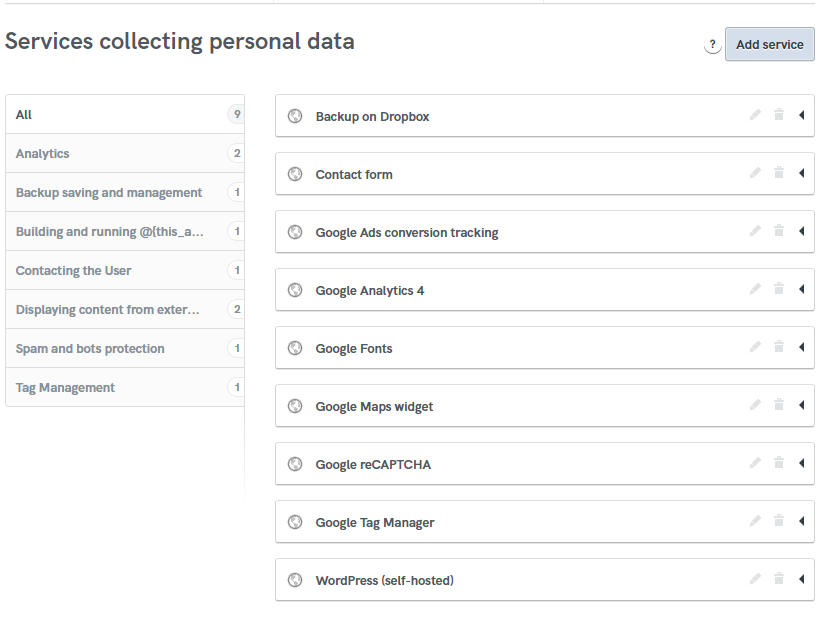
Iubenda Cookie Policy

Start with these services then add more once it scans the site. Will change to static at a later date.

iubenda checklist

Choose “embed text in the body” option on Iubenda.

On the WordPress website, make sure the cookie banner has one of the following (first one for regular sites, second one of there’s a terms and conditions)

<p><span>We use cookies to offer you a better browsing experience, analyze site traffic and personalize content. Read about how we use cookies and how you can control them in our <a href=”/privacy-policy/“>Privacy Policy</a>. If you continue to use this site, you consent to our use of cookies.</span></p>

OR

<p><span>We use cookies to offer you a better browsing experience, analyze site traffic and personalize content. Read about how we use cookies and how you can control them in our <a href=”/privacy-policy/“>Cookie Policy</a>. If you continue to use this site, you consent to our use of <a href=”/privacy-policy/“>cookies and our terms and conditions.</a></span></p>


Delete dev site, dev db, dev dbu

All this information can be found in the client drive under the kickstart/db file. I often copy/paste the database info from the wp-config file because the automatic WP installation creates that stuff without my input.


How to set up a new Google Ads campaign

Video link

Must be logged in to Wiki to access due to sensitive info.

Nice/Need to know ahead of time

  • Customer’s name, contact info, address, and credit card information.
  • Access to the New Content Questionnaire (check client drive)
  • Preferred list of keywords (usually in New Content Questionnaire, but can be found elsewhere. This will not always be available)
  • There are two “views” on Google ads, express or a more complex one. If given the choice, choose the complex version.
  • Google Ads has a hierarchy with “Account” as the top level. Account -> Campaign -> Ad Groups -> Ads
  • You can set the budget and geographic location at the CAMPAIGN level.
  •  The more ad groups you have, the more the budget gets diluted. You also want to have no more than 20 keywords per ad group.
  • Keywords come in three types: broad match, phrase match, and exact match.
    • broad: homes for sale ladysmith
      • can get stuff you don’t want, like garage sale, ladysmith barbershop, etc because it searches each term individually
    • phrase: “homes for sale ladysmith”
      • More flexible and refined than broad, this will also show for “houses for sale ladysmith” (home/house) and other variations. (RECOMMEND TO USE THIS TYPE)
    • exact: [homes for sale ladysmith]
      • This is exact so if someone actually types “homes for sale IN ladysmith” this will not show up.

Step 1: Create an Account

ads.google.com

If the $600 promo is still on, click the link to sign up that way. It might be a bit hidden on the front page.

Step 2: Create Payment Profile

Most of these are self-guided, but pay attention to these key areas:

  • Change primary contact to client.
  • For the two questions about Google Ads reaching out for tips or advice about promos, select NO

Step 3: Get Organized with Keywords and Outline

Write out an outline for each ad group and what kind of keywords will go into each one. Since you’ve selected the geographic location already, these don’t necessarily need to line up with specific locations.

Step 4: Create a New Campaign

Objective: “website traffic”

For type, “search” is usually chosen.

Performance Max is AI-driven and a new feature. We may use this more down the road.

Goals: page view

Campaign name: Who | Campaign Name | Type | Date
Example: Loralee Burns | Buyer | Website Traffic | OCt 23/23

Enhanced conversions? Leave it on, it is a new feature.

Step 5: Bidding

Focus: clicks (or conversion). Don’t set target cost.

Customer acquisition: leave turned off “only bid for new customers”

Step 6: Additional Campaign Settings

Search and display networks = ON

Locations. “enter another location” and add it in.

Location options: Choose “Presence or interest”
The “interest” part means that someone looking for a house to buy in Ladysmith can see your ad if they are viewing from Edmonton. They have the intent.

Exclude French language.

Audience segments “in market” means Google knows they are looking for it (they are “in the market).

Targeting or Observation: Choose Observation

Broad match = OFF

More settings – no end date or schedule, no URL options

Step 7: Create an Ad Group with Ad

Use campaign builder for the URL.

https://ga-dev-tools.google/campaign-url-builder/

Source: google
medium: wmwl
name: ad group name

The “Display Path” is a fake one just for appearances.

Paste your keywords, add phrase match quotes if relevant. Do not upgrade to broad match (can do later if needed).

Fill out the headlines and pin them.
1st position = What it is or keyword
2nd position = Benefit
3rd position = CTA

Creating headlines and descriptions can be time consuming. Use information from the New Content Questionnaire to fill in some gaps.

Fill out as many extensions as you can for Sitelinks and Callouts. A sitelink can be other pages on their website (about me, contact, etc). Write more for the person than a search engine. Callouts add to the description. There are also promos, prices, etc. “Call” is a good one to add as well.

Step 8: Set budget and complete

We usually do $10/day but this will vary client to client.

Step 9: Review and Tweak

Once it is all working, check back and twae
How to add WMWL footer to website.

Link to How To: https://docs.google.com/document/d/1H1RKiccJ3htR8buPF24iiKcttAwHuObqgITCponONeE/edit?usp=sharing

Introduction

Do not use the image element in Yootheme Pro, as it doesn’t allow for enough variables. Use a text element and add the HTML below.

Instructions

  1. Use a text element in Yootheme Pro.
  2. The code below may have to be adjusted for:
    1. Actual file name/location

    2. <p><img src=”wp-content/uploads/2020/09/logo_horz_blk.svg” alt=”Footer logo for Websites Made With Love in Parksville, BC” width=”180″ title=”Click here to visit Websites Made With Love, a Vancouver Island Web Agency based in Parksville, BC” class=”alignnone size-medium wp-image-30″ target=”_blank” rel=”noopener noreferrer”/></p>

  3. This is better for a few simple reasons:
    1. Can add the rel=”noopener noreferrer” class
    2. Can add the title=”Click here to visit Websites Made With Love, a Vancouver Island Web Agency based in Parksville, BC” class
    3. It just gives us a bit more flexibility using HTML