Mark followed that up with this video to the client, offering him the ability to upgrade to WP SMTP Pro. No one assigned blame, yet we offered a solution; that is the important thing to note. Click here to view.
Recently I have had two occasions of trying to upload a plugin to WordPress but wasn’t able to because of an error that simply read Access Denied.
The first instance was with a plugin from the Yoothem extensions library. After troubleshooting with RealGeeks, they advised us to deactivate all of our plugins and then try and it worked. Afterwards, we simply were able to activate the plugins after the installation.
The second instance occurred with a paid premium booking plugin and the site was hosted with Hosting Nation this time. Randy asked if I had an Akeeba plugin on the website, to which the reply was yes.
So I turned off the and deleted the Akeeba plugins and then was able to install the plugin, normally.
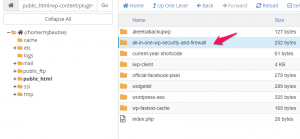
So, if you ever get the Access Denied error, simply deactivate the two Akeeba plugins, Admin Tools and Akeeba Backup, and then try again. You can activate them after the successful plugin upload.
Update from Randy at Hosting Nation: “You can just disable the UploadShield in it.”
Link to How To: https://docs.google.com/document/d/1H1RKiccJ3htR8buPF24iiKcttAwHuObqgITCponONeE/edit?usp=sharing
Introduction
Do not use the image element in Yootheme Pro, as it doesn’t allow for enough variables. Use a text element and add the HTML below.
Instructions
Use a text element in Yootheme Pro.
The code below may have to be adjusted for:
Actual file name/location
<p><img src=”wp-content/uploads/2020/09/logo_horz_blk.svg” alt=”Footer logo for Websites Made With Love in Parksville, BC” width=”180″ title=”Click here to visit Websites Made With Love, a Vancouver Island Web Agency based in Parksville, BC” class=”alignnone size-medium wp-image-30″ target=”_blank” rel=”noopener noreferrer”/></p>
This is better for a few simple reasons:
Can add the rel=”noopener noreferrer” class
Can add the title=”Click here to visit Websites Made With Love, a Vancouver Island Web Agency based in Parksville, BC” class
It just gives us a bit more flexibility using HTML
When we add a new WordPress website to InfiniteWP, it is nice to be able to set up the monthly client reporting. So I made a tutorial video to help you out. Or video embedded below the jump.